Blog
Every step, every rerun
A repeat part should run the same way each time. Here is why steps go missing on reruns, and how a part recipe carries every step onto every job.
4 min read

The short version
In PartScheduler, a part’s steps live with the part, as its recipe. Each new job for that part copies the whole recipe. From there, the steps travel with the job onto the traveler and the floor, however often the part comes back.
Suppose a customer reorders a part your shop last ran in the spring. The first run went well, because the person who planned it stood at the machine while it ran. Six months later, that plan lives on an old traveler in a drawer, or in the head of whoever ran the job.
On a rerun, the small steps slip first, such as a deburr before anodize or a note about the fixture. The operator does not mean to skip one. The step is missing from the page the next person reads.
Where the routing lives decides what gets missed
A first run gets attention. Someone works out the order of operations, the fixtures and the outside finish, then writes the routing onto that job’s traveler. The traveler leaves the shop with the parts, or lands in a folder with the paperwork.
When the part comes back, the shop rebuilds the routing from memory or from a copy of the old sheet. Each rebuild is a chance to drop a step. As a result, a part returning four times a year offers four chances.
Write the routing once, against the part
The fix works on paper as well as in software: keep the routing with the part, not with the job. Write every step in order, including inspection and outside work. Keep the revision on the same page as the print it matches.
From then on, start every rerun from that record. The last job’s traveler shows what happened once; the part’s routing shows what should happen every time.
In PartScheduler, the recipe is that record
PartScheduler stores each part’s routing as its recipe. The recipe builder lays the steps out in order: sawing, each machining operation, inspection and any work sent out, such as anodizing. To change the order, drag a step along the line.
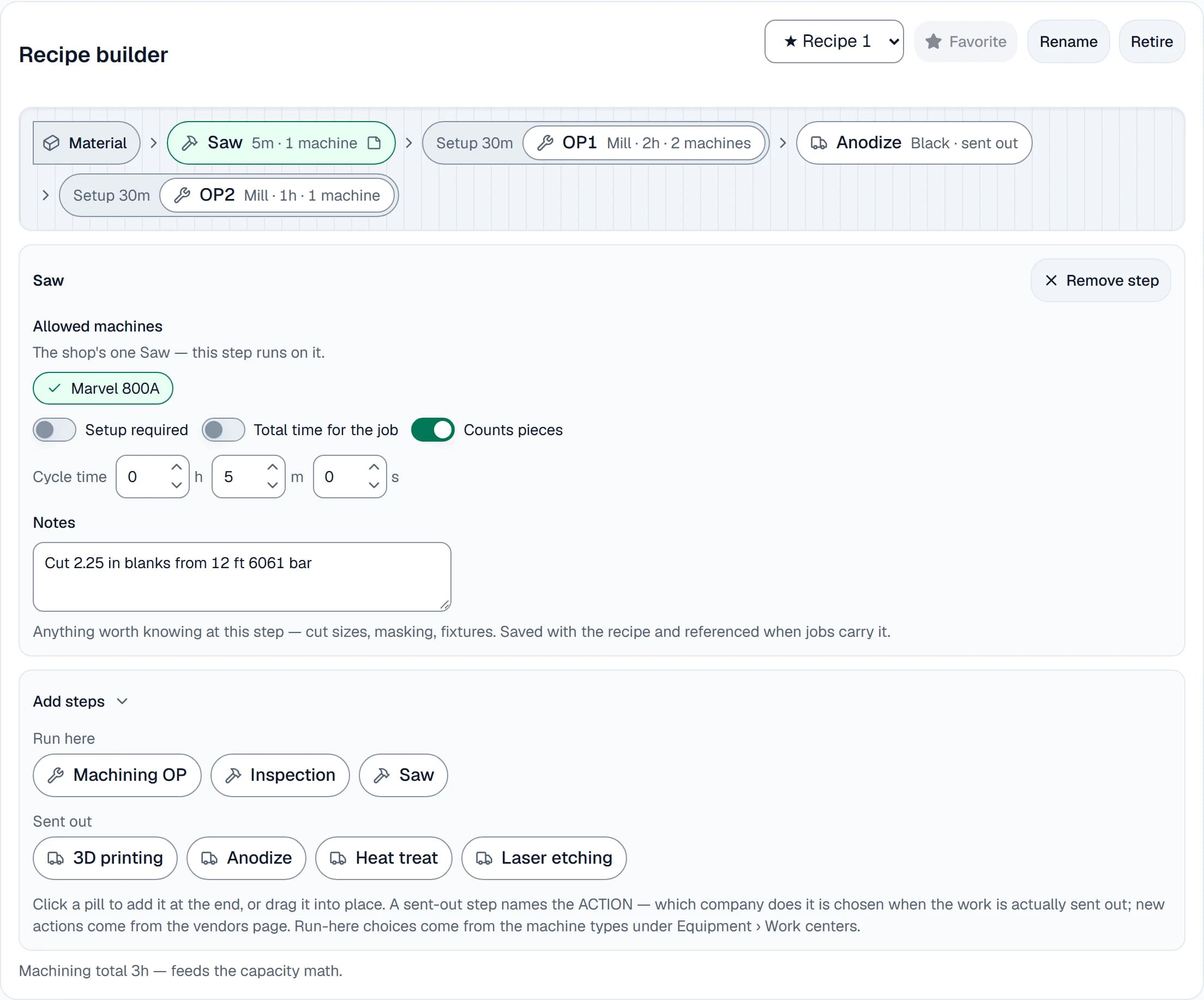
Each machining step names its machine type, the machines allowed to run it, its setup time and its cycle time. A notes field on every step holds what the floor needs to know there, such as cut sizes, masking or fixtures. In addition, a part can keep several recipes, with one starred as the favorite.
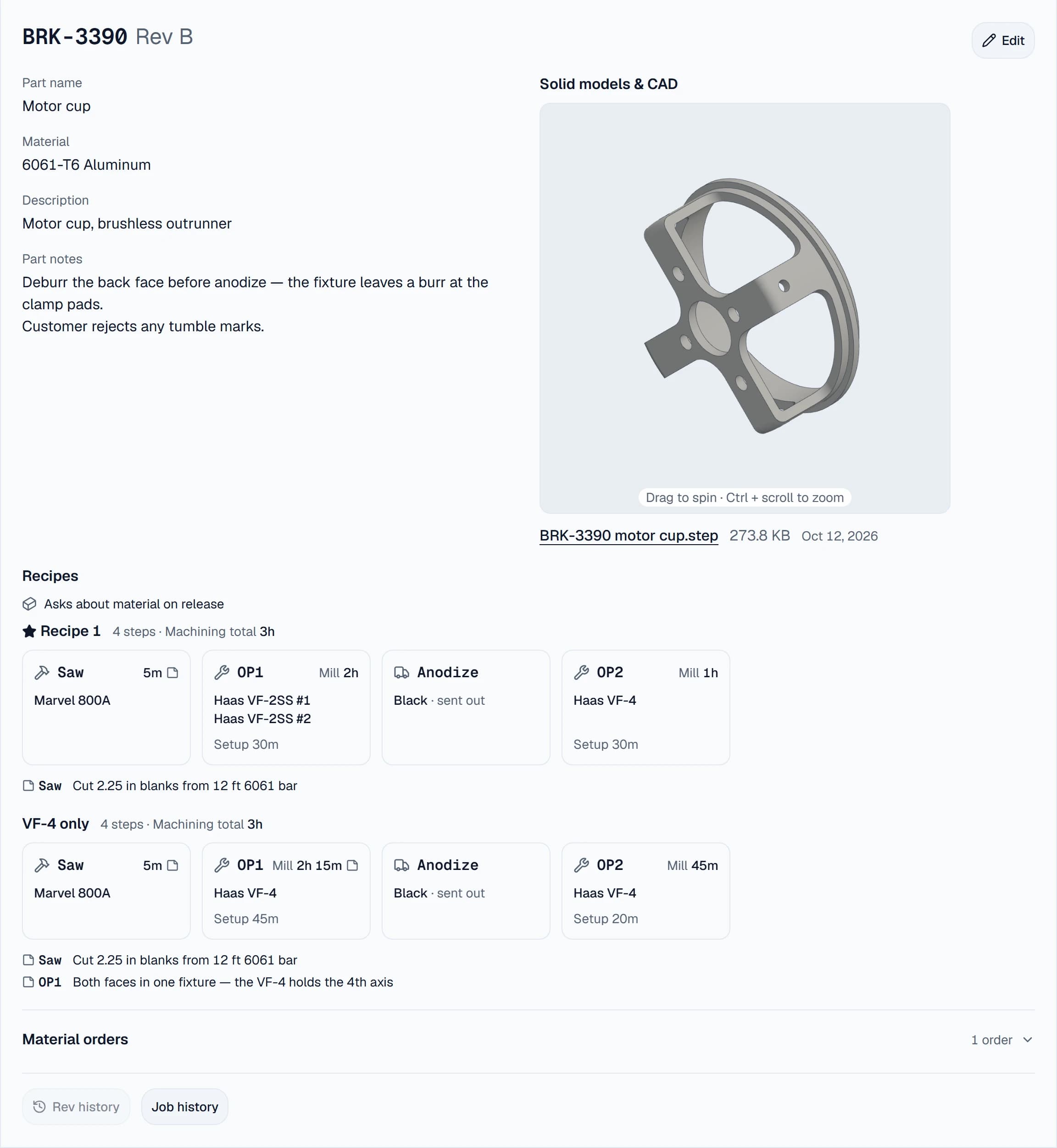
Part notes sit beside the recipes, together with the part’s prints and 3D model. On the demo shop’s motor cup, the note reads: deburr the back face before anodize.
Every rerun starts from the same recipe
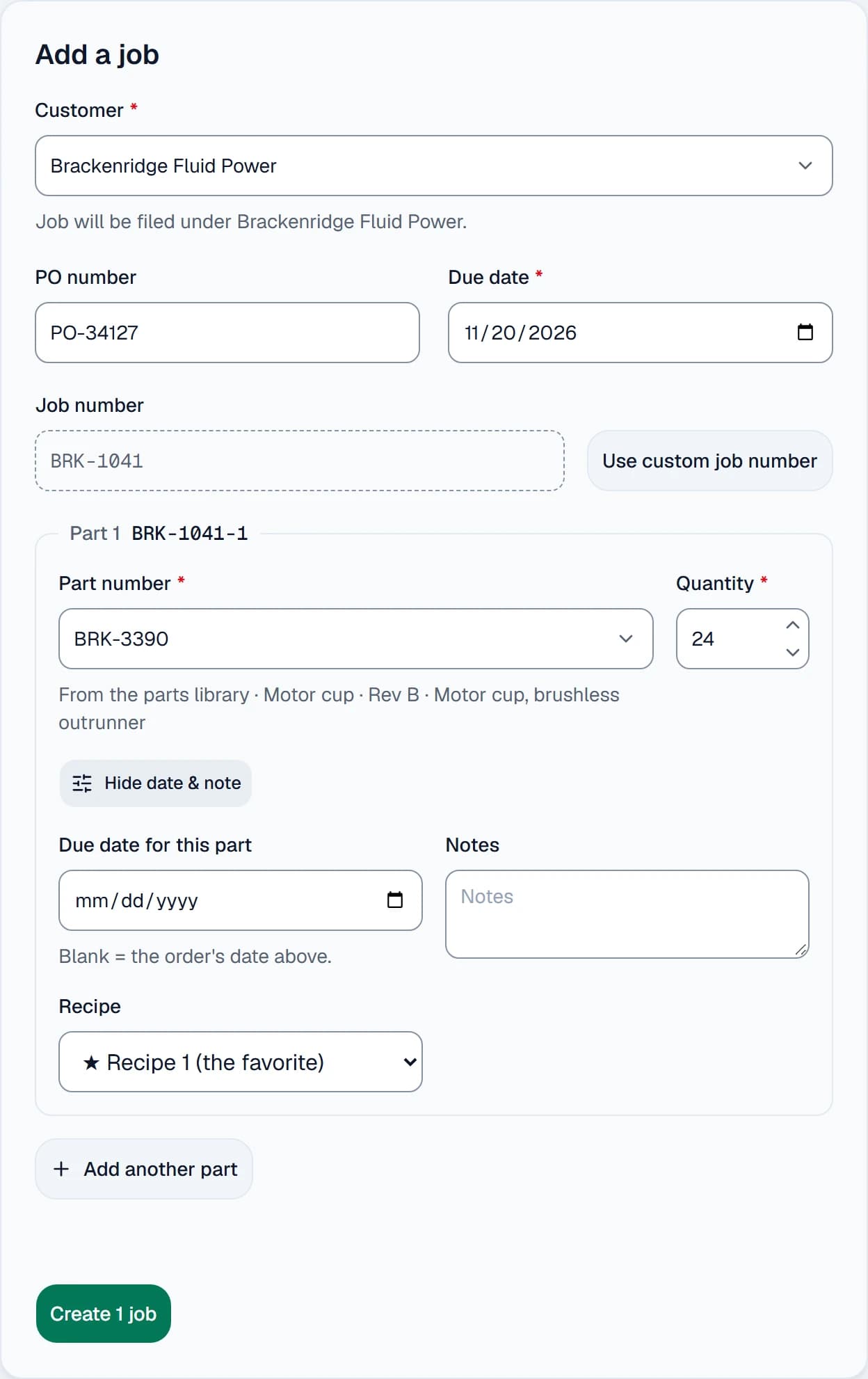
When the reorder arrives, pick the part on the Add a job form. The part brings its favorite recipe along, and a part with two recipes offers both in a Recipe list.
Release to floor then copies the recipe onto the job, and the job keeps that copy. If someone edits the part’s recipe later, the running job shows a notice. A planner then decides whether to bring the change in. Once work has started on the job, that update asks why.
The part’s prints and models also appear on every job of that revision on their own. Consequently, the floor opens the drawing matching the steps it follows.
The steps travel to the traveler and the floor
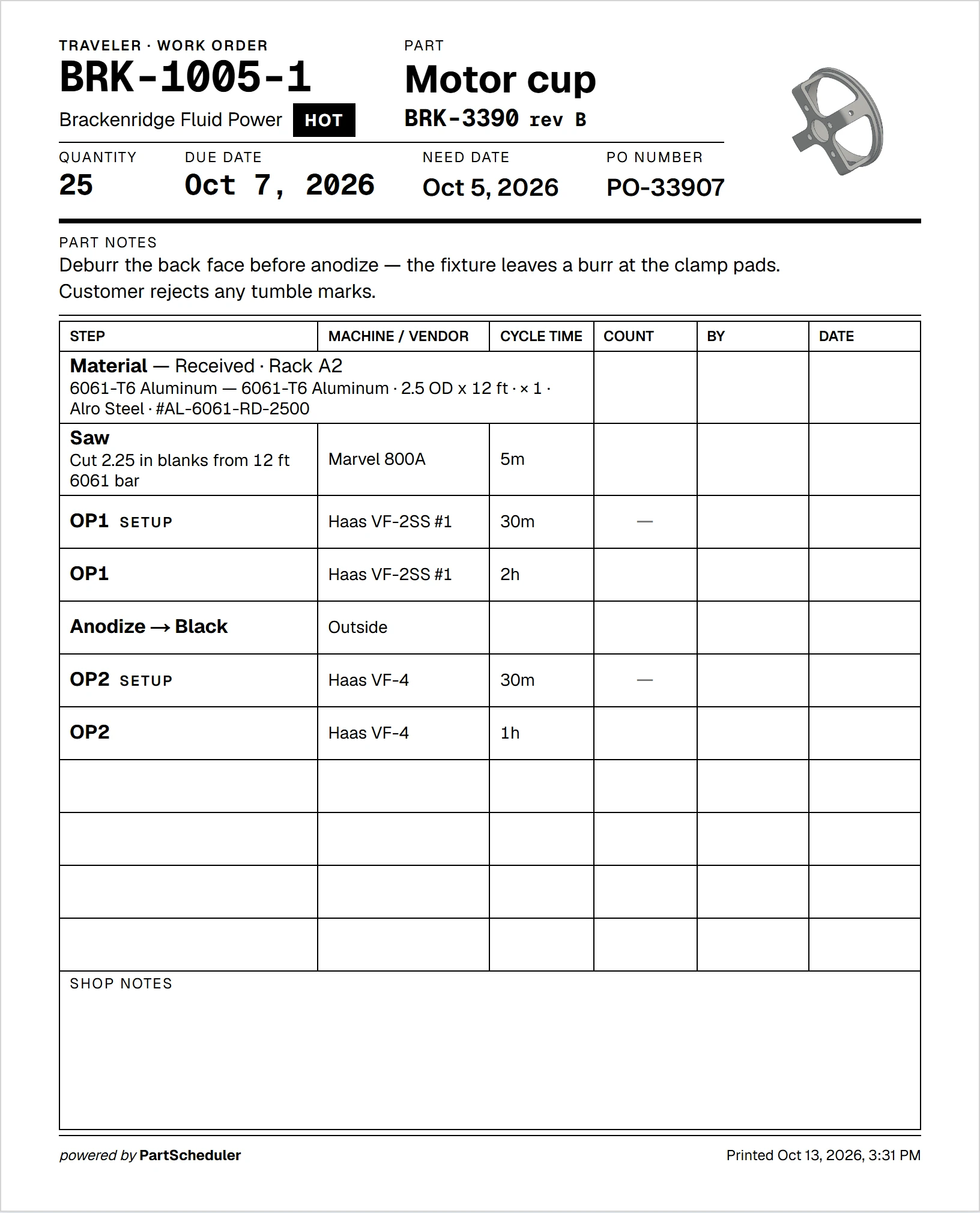
Print traveler puts every step on one page, in order. Each step’s note prints under it, and the part notes sit at the top. Blank columns for the count, the operator and the date go to the floor with the parts.
On the Operations board, each step waits in line for its machine. A later step’s card stays grey, reading Waiting on the step before it, until pieces arrive. Anyone who starts a step early sees a warning first.
Counts keep the steps consistent as well. A later step cannot show a higher count than the step before it. Meanwhile, the job’s Activity log records each start, count and completion with a name and a time. When the floor completes the last open step, the job moves to Finished on its own.
Every run on record
Job history, on the part’s page, lists every job of that part number, finished ones included. For the demo shop’s bearing housing, two runs sit side by side, on revisions B and C.

Try the recipe builder
Our home page has a working copy of the recipe builder. Add or move a step, and the job card and traveler beside it redraw as you type. PartScheduler is not open to new shops yet. To be first in line, join the waiting list below.