Blog
Why PartScheduler
PartScheduler exists for one reason: small machine shops lose customers to late orders. Here is the problem it solves, what it covers and what it leaves out.
3 min read
The short version
PartScheduler is job scheduling for small machine shops. The app does one job: it shows which orders are late or about to be, early enough to save them.
We built PartScheduler for the small machine shop. There, a handful of people carry every job from the purchase order to the shipping dock. The sections below cover why the app exists, what it does and what it leaves out on purpose.
The problem: late orders, found too late
A late job is the fastest way for a shop to lose a customer. Even so, the shop usually learns a job is late when the customer calls to ask where it is. By then, the days the job lost are gone.
The cause sits in the schedule itself. Part of it lives on a whiteboard, part in a spreadsheet and the rest in someone’s head. As a result, nothing joins the pieces in time to warn anyone.
Three questions, answered in seconds
PartScheduler puts the schedule in one place. Each main screen is built to answer one of three questions, with a target of five seconds for each:
- What is due this week?
- What is late, or about to be late?
- Where is a given job right now?
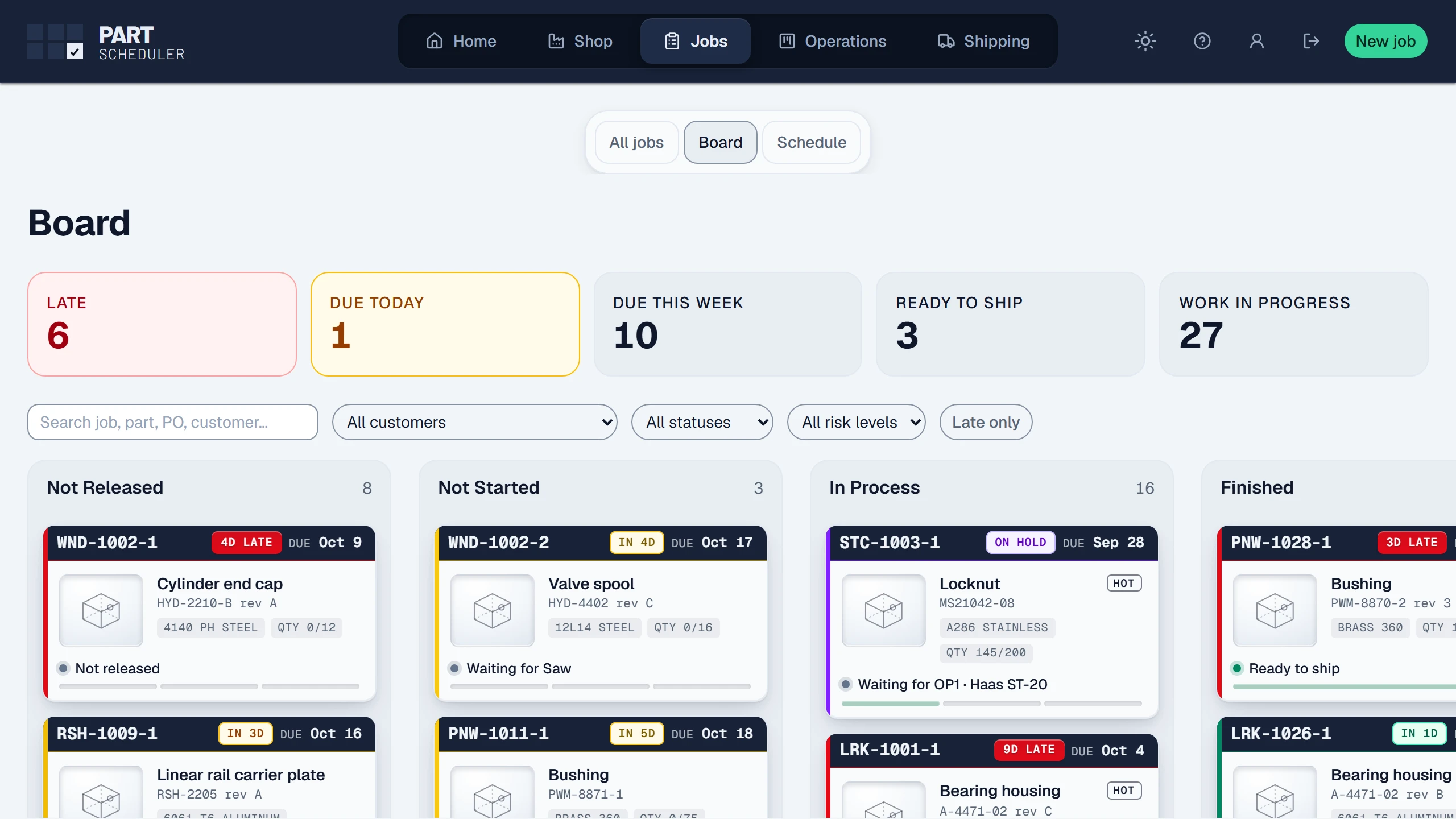
The board answers the first two at a glance. Every card carries a countdown, such as In 4d or 4D late, colored by its risk. For the third question, the board’s search box finds any job, and the Operations board lights up its cards on each machine.
What PartScheduler covers
The app follows every job from the purchase order to the shipping dock. Along the way, it covers the work a shop schedules each day:
- A whiteboard-style board, laid out like the one on your wall.
- An Operations board for the floor, with each machine’s queue.
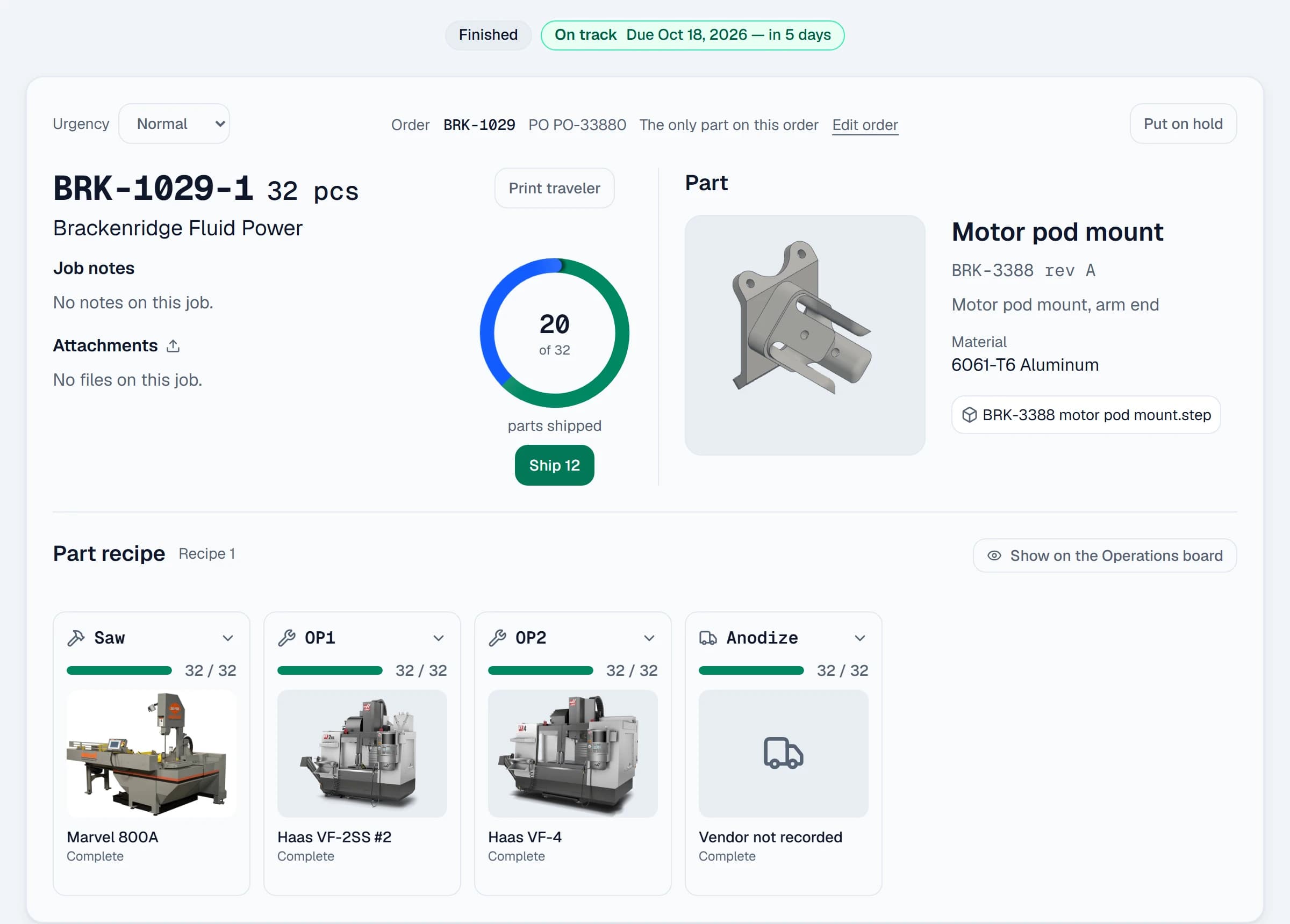
- Part recipes, so every job goes to the floor with its operations in order.
- Part files with thumbnails, a 3D viewer for STEP and IGES models, and a preview of each print.
- Piece counts for each operation, and material with its certs.
- On-time delivery reporting.
What it leaves out on purpose
PartScheduler is not an enterprise resource planning (ERP) system. The app does no accounting, no quoting and no payroll, because each of those jobs already has software built for it. PartScheduler keeps the schedule.
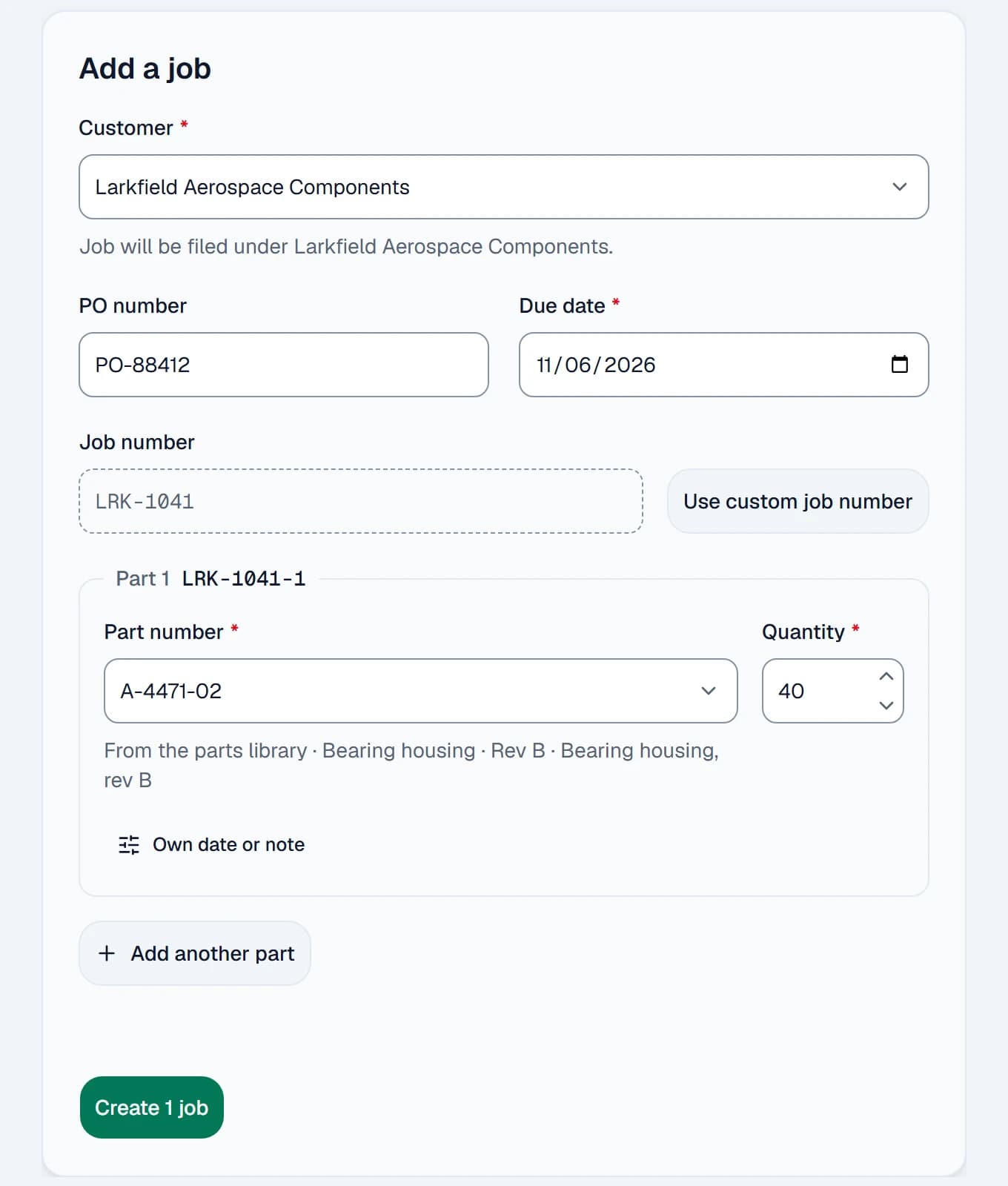
In a busy shop, data entry is the enemy. Every field is another thing someone has to stop and type, so the app asks for as little as it can. For example, we designed the new-job form around a target of 30 seconds.
Built on a working shop floor
PartScheduler runs in production every day at a machine shop in Michigan. The shop schedules its real work on it; the app is not a mock-up.
We do not name that shop or show its work. Every screen in this post comes from our demo shop, whose customers, jobs and part numbers we invented.
Where we are now
PartScheduler is not open to new shops yet. To see the daily workflow in six steps, read Shipping every order on time, step by step. You can also click through the demo board on our home page, which runs on invented jobs. To be first in line, join the waiting list below.